How to Find Car Auction Photos by VIN (Copart & IAAI)
 Chris HansVehicle History ExpertSeptember 13, 20268 min read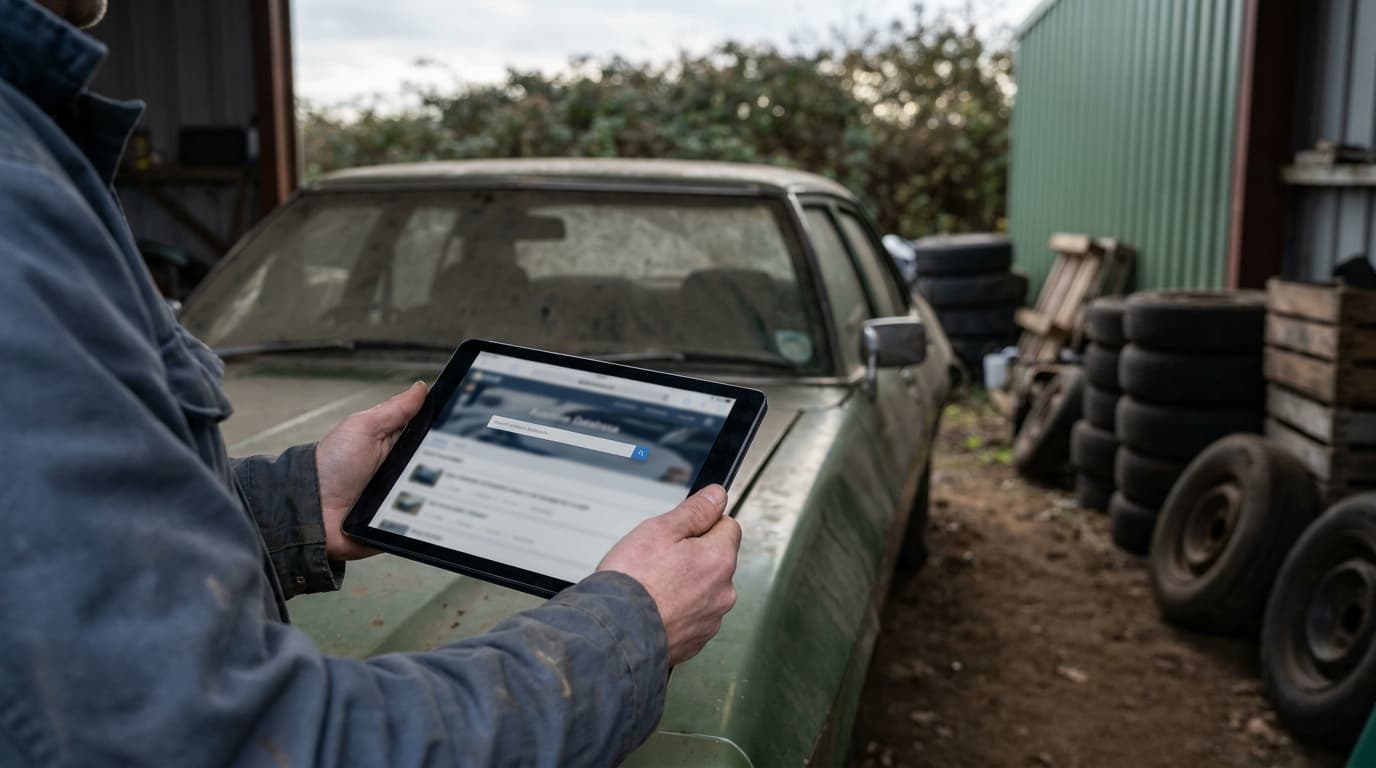
On this page
- At a glance
- Why auction photos matter more than the listing
- What you need before you start
- How to find car auction photos by VIN on Copart
- How to run an IAAI VIN check with images
- How to find car auction photos by VIN after the sale
- Reading the damage fields and the photos together
- Primary and secondary damage
- Loss type
- Odometer brand
- Airbag and run status
- Troubleshooting
- The VIN returns no results on either site
- I found the lot but the photos won't load
- The gallery only shows a couple of thumbnails
- The listing shows a different car than the seller describes
- The car has a clean title now but I found auction photos with heavy damage
- The photos look fine but something feels off
- I can't find a VIN at all, only a plate
- FAQ
- Is Copart photo search actually free?
- How long do Copart and IAAI keep lot photos public?
- Will a vehicle history report always include auction photos?
- Does a salvage auction listing always mean the car is a bad buy?
- Can I check recalls on a salvage car at the same time?
- What if the auction photos contradict what the dealer told me?
To find car auction photos by VIN, start by pasting the 17-character VIN into the search bar on Copart and IAAI. If the car is still listed, you'll get a lot page with the full damage gallery. If it sold months or years ago, the listing has usually dropped off the public site, and you'll need an auction archive or a history report that stores those images.
This guide walks through both auction sites step by step, shows what the damage fields actually mean, and covers what to do when the VIN returns nothing. It takes about ten minutes per car.
At a glance
Question | Short answer |
|---|---|
Is a free Copart photo search possible? | Yes for live lots. Copart lets you search inventory by VIN without paying, though a free Basic membership unlocks more of the lot detail. |
Does IAAI let you search by VIN? | Yes. IAAI's inventory search accepts a VIN or stock number and returns the matching lot if it's still listed. |
How long do sold lots stay visible? | Typically days to a few weeks on the auction sites themselves. After that, public access to the gallery usually ends. |
How many photos per lot? | Commonly 8 to 20 exterior and interior shots, sometimes with a 360 spin and a dash/odometer close-up. |
Best fallback for older sales | Auction archive sites or a vehicle history report that stores damage-event images. |
What the photos won't tell you | Frame measurements, flood water lines inside the harness, or whether repairs were done correctly afterward. |
Why auction photos matter more than the listing
A salvage or total-loss car gets photographed at the yard before it sells. Those pictures are the closest thing to an honest record of what happened. A dealer's listing shows a washed car under good light at a three-quarter angle. The auction gallery shows the same car on a gravel lot with the airbags hanging out and the odometer reading 118,432.
Three things I look for every time: the odometer photo (compare it to what the seller is claiming now), the interior shot (mud lines, silt in the seat tracks, corrosion on seat rails), and the engine bay from above. A front-end hit that pushed the radiator support back is obvious in that overhead shot even when the repaired car looks fine in a parking lot.
Photos also settle arguments. If a seller tells you the car had "a little bumper damage" and the auction gallery shows a deployed curtain airbag, you have your answer without a debate. That's a different kind of evidence than a line item on a report, and it's why buyers go looking for it.
What you need before you start
The full 17-character VIN. Not the last eight. Not a plate number. If all you have is a plate, you can run a plate lookup first and get the VIN back.
A browser on a laptop or desktop. Both auction sites work on mobile, but the image galleries and filter panels are easier to work through on a bigger screen.
An email address if you want to register for a free account. Copart's Basic membership costs nothing and gives you more of the lot detail than browsing as a guest.
The seller's claims written down. Mileage, accident history, title status. You're checking photos against a story, so know the story first.
Ten minutes. Rushing this is how people miss the rust in the trunk well.
How to find car auction photos by VIN on Copart
Copart runs online salvage and clean-title auctions across the US. Their live inventory is searchable without paying, which is what most people mean by a free Copart photo search.
Go to copart.com. The search field sits across the top of the homepage. It accepts a VIN, a lot number, or a make and model.
Paste the full VIN and press Enter. Use copy and paste rather than typing. A single transposed character (1 vs I, 0 vs O) returns nothing, and VINs don't contain the letters I, O, or Q at all.
Open the matching lot. A hit takes you to the lot detail page. Check that the year, make, model, and body style match the car you're looking at before you read anything else. VINs are unique, but typos happen on the intake side too.
Click the main image to open the gallery. Scroll through every frame. On many lots there's also a 360-degree spin view. Save or screenshot the ones that matter, especially the odometer and any panel with visible damage.
Read the vehicle detail block next to the photos. This is where you'll see Primary Damage, Secondary Damage, Odometer (with a brand such as Actual or Not Actual), Title/Sale Doc, Loss type, Highlights, and whether the engine starts. These fields tell you what the photos can't.
Note the sale date and yard location. A 2019 Accord that sold out of a Houston yard in October 2017 tells you something about the kind of loss before you even read the damage code.
If you want to browse rather than search a specific car, the Advanced Search link lets you filter inventory by sale date, location, damage type, odometer range, and document type. That's useful for pricing comparisons, less useful when you're chasing one VIN.

How to run an IAAI VIN check with images
Insurance Auto Auctions covers a lot of the same insurance total-loss volume, and plenty of cars only ever appear on one of the two platforms. Always check both. An IAAI VIN check with images follows nearly the same path.
Go to iaai.com. Use the search box at the top of the page, or open Search Inventory from the main navigation.
Enter the VIN and search. The field also accepts stock numbers. If nothing comes back, try the last six of the VIN as a partial, since some intake records get entered oddly.
Open the lot and expand the image gallery. IAAI lots typically show a similar mix of walkaround shots, interior, engine bay, and undercarriage where relevant.
Work through the vehicle information panel. Look at Loss type, Primary Damage, Secondary Damage, Title type and state, Odometer reading and brand, Start Code or Run and Drive status, Keys, and Airbag status.
Check the sale history line. Some lots show whether the vehicle has been through the auction more than once. A car that cycled through twice in eighteen months is worth a much closer look.
Labels on both sites shift around occasionally as they update their interfaces. The underlying fields (damage, title, odometer, run status) have been consistent for years, so look for the meaning rather than the exact wording.
How to find car auction photos by VIN after the sale
Here's the catch that trips up most buyers. Auction sites are sales platforms, not archives. Once a lot sells and the paperwork clears, the public listing comes down, usually within days to a few weeks. So if you're shopping a 2018 Camry that was totaled and rebuilt in 2021, searching Copart today gets you nothing at all.
Try an auction archive site. Several third-party services scrape and store past lot listings, including the photos and the damage fields. Quality varies a lot. Some show thumbnails free and charge to see the full gallery, some have gaps in coverage, and some go dark without warning. Search the VIN plus the word "lot" or "salvage" and see what surfaces.
Search the VIN in a plain web search and in image search. Dealer listings, forum threads, and cached auction pages sometimes turn up. It's hit or miss, but it costs nothing.
Pull a vehicle history report that includes damage-event images. A TrulyCar report is $16.99 and covers title and brand checks, damage events with auction photo archives, an odometer chronology with rollback detection, the sales and usage timeline, open recalls, factory warranty terms, and market values by condition. That's the practical way to lookup salvage car history with photos when the original listing is long gone.
One note on cost. Single reports from the big-name providers generally run in the mid-forties, so if you're cross-shopping four or five cars, the math on per-report pricing starts to matter. TrulyCar sells a 3-pack at $29.99 and a 5-pack at $44.99 with no subscription attached.
Reading the damage fields and the photos together
Photos without context mislead people in both directions. A car with a crumpled quarter panel can be a cheap fix. A car with a barely marked bumper can be a bent unibody. Match what you see to what the lot page says.
Primary and secondary damage
Common entries include Front End, Rear End, Side, All Over, Undercarriage, Water/Flood, Vandalism, Hail, Mechanical, and Normal Wear. "All Over" on a car with no visible body damage often means hail or flood. "Normal Wear" with a salvage title usually points to theft recovery or a non-collision claim.
Loss type
Water or flood as a loss type is the one I'd treat most seriously. Corrosion works slowly through connectors and modules, and problems show up a year or two after the sale. If you see anything flood-related, read our guide on how to spot a flood damaged car from out of state before you go further.
Odometer brand
Auction records list the reading plus a brand such as Actual, Not Actual, or Exceeds Mechanical Limits. If the auction photo from 2020 shows 142,000 miles and the car in front of you today reads 98,000, you're looking at a rollback, not a coincidence.
Airbag and run status
Deployed airbags mean a crash hard enough to trigger the sensors, and replacement modules plus clockspring plus dash work add up quickly. A "does not start" or "engine start program: no" flag on an otherwise clean-looking car is a signal to ask what was wrong.
Troubleshooting
The VIN returns no results on either site
Most likely the car never went through Copart or IAAI, or it sold long enough ago that the listing was removed. It could also have gone through a different auction network entirely. No result is not proof of a clean history. It's just an absence of evidence on two platforms.
I found the lot but the photos won't load
Ad blockers and strict privacy extensions break image galleries on both sites fairly often. Disable them for that domain and reload. If that doesn't help, try a different browser before assuming the images were never posted.
The gallery only shows a couple of thumbnails
Some lot detail is gated behind a free account. Register for Copart's Basic membership or an IAAI account and check again. If you're still seeing three photos on a total loss, the yard may simply have uploaded a short set.
The listing shows a different car than the seller describes
Check the VIN character by character. If it genuinely matches and the car in the photos is a different color or trim, the car may have been repainted, or you may be looking at a cloned VIN. Walk away from VIN mismatches. Clone jobs are more common on late-model trucks and SUVs than most buyers realize.
The car has a clean title now but I found auction photos with heavy damage
That combination is exactly what title washing looks like. A branded title in one state can come back clean after the car is registered elsewhere. Our breakdown of how salvage cars end up with clean titles covers how it happens and which states see the most of it.
The photos look fine but something feels off
Auction photos are taken fast, in bad light, by someone moving a hundred cars a day. Underbody and structural damage rarely photographs well. If the fields say Front End and the pictures look mild, pay a shop for a lift inspection anyway. That's $100 to $200 against a repair bill that can hit four figures.
I can't find a VIN at all, only a plate
Run the plate through a lookup to get the VIN, then start over. Free plate lookup and VIN decoding both sit on the TrulyCar homepage.
FAQ
Is Copart photo search actually free?
Searching live inventory by VIN and viewing lot pages costs nothing. A free Basic membership gives you more of the detail. Bidding requires a paid membership and, in many states, a licensed broker, but you don't need any of that just to look at photos.
How long do Copart and IAAI keep lot photos public?
Not long after the sale closes. Expect days to a few weeks. Neither site is set up as a long-term public archive, which is why auction images for older sales live mainly in third-party archives and history reports.
Will a vehicle history report always include auction photos?
No. Photos appear when a damage event was recorded with images attached. Plenty of accidents never reach an auction lane at all, either because the car was repaired through insurance or because the owner paid out of pocket. A report can show a damage event with no pictures, and that doesn't mean the event was minor.
Does a salvage auction listing always mean the car is a bad buy?
Not automatically. A hail car with cosmetic dents and a repaired theft recovery are very different from a flood car or a car with structural damage. The photos plus the damage fields plus a lift inspection tell you which one you're dealing with. Price it accordingly, because branded titles cut resale value substantially and some insurers limit coverage.
Can I check recalls on a salvage car at the same time?
Yes, and you should. Free recall lookup by VIN is available at nhtsa.gov/recalls. Rebuilt cars sometimes sit unregistered for months, so open campaigns get missed. Open recall campaigns are included in a TrulyCar report too, alongside the manufacturer's maintenance schedule.
What if the auction photos contradict what the dealer told me?
Show them the lot page and ask for an explanation in writing. Some dealers genuinely don't know a car's auction history if they bought it at a wholesale lane. Others do. Either way, a documented discrepancy is leverage on price, and it's a reason to get an independent inspection before you sign anything.
Chris Hans
Vehicle History Expert
Chris Hans writes TrulyCar's practical guides for used-car buyers, built on the same NMVTIS title data and NHTSA records that power our reports.
Buying a used car? Check its history first.
Run a free VIN checkKeep reading
Can You Find a License Plate Number From a VIN?
Usually not, and the reason is federal privacy law. Here is who can legitimately pull a plate from a VIN, what a VIN does reveal, and what to do for tolls, tickets, and hit-and-runs.
Sep 9, 20267 min read
Cheap VIN Check Traps: TrulyCar vs EpicVIN vs Bumper
A cheap VIN check can cost more than a $45 report if it auto-renews. Compare TrulyCar, EpicVIN and Bumper on price, data and cancellation.
Sep 3, 20267 min read
AutoCheck vs TrulyCar: Which Score Predicts Risk?
AutoCheck vs TrulyCar compared: does a numeric vehicle history score beat raw records and auction photos at predicting used-car risk? Here's the breakdown.
Sep 2, 20267 min read